(+035) 527-1710-70
 NEWSLETTER




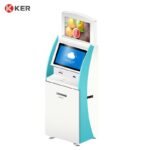
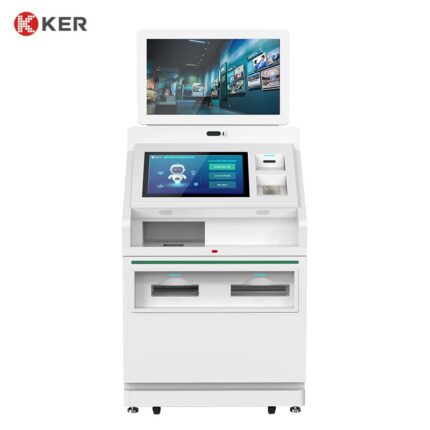
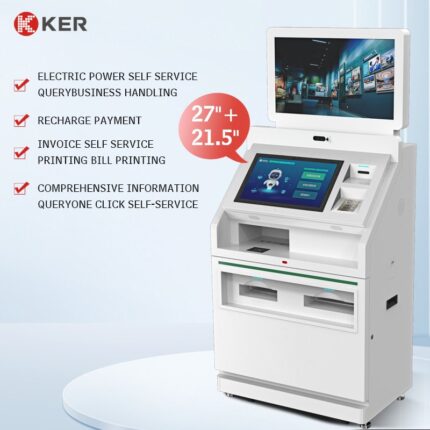
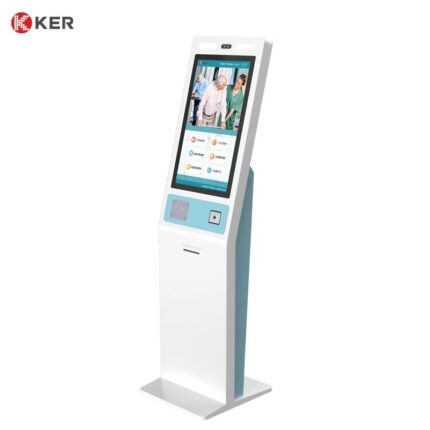
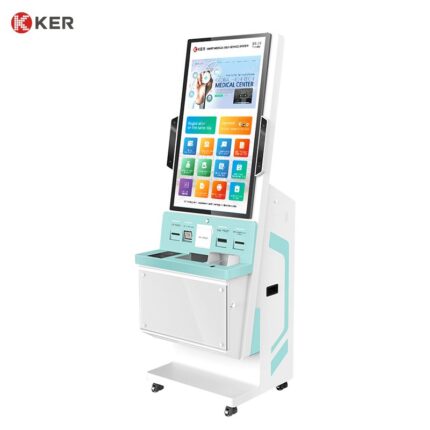
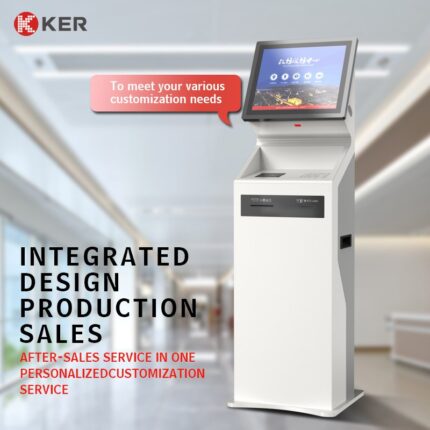
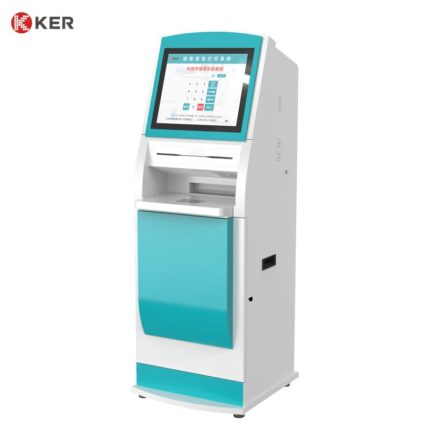
Dual-Screen Multifunction Self-Service Kiosk with A4/B5 Printing
KER Dual-Screen Multifunction Self-Service Kiosk is a flexible commercial terminal designed for organizations that need both interactive self-service and document output in one machine.
The kiosk can be configured with 19-inch or 21.5-inch displays and supports A4/B5 document printing together with optional QR scanners, card readers, payment terminals and other peripherals.
The dual-screen structure can be used to separate user interaction from information display, advertising, instructions or transaction status, creating a clearer and more efficient customer experience.
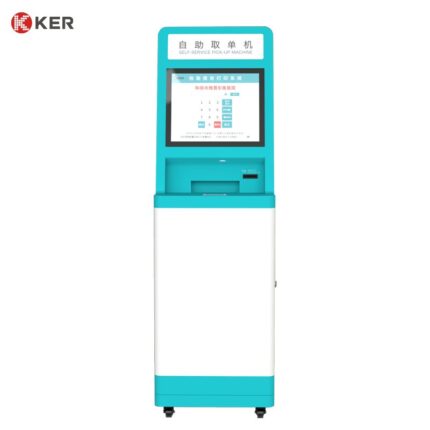
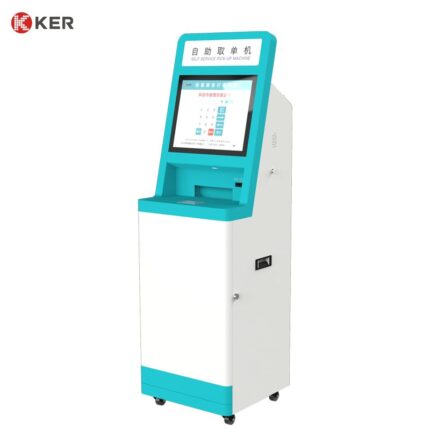
Depending on the connected software platform, the kiosk can be used for bill printing, document collection, certificate printing, registration, information inquiry, payment confirmation and other self-service workflows.
Dual-Screen Interactive Design
The dual-screen configuration provides more flexibility than a conventional single-screen kiosk.
Possible screen roles include:
Main touchscreen
- Service selection
- Customer input
- QR scanning instructions
- Account lookup
- Transaction confirmation
- Document selection
Secondary screen
- Advertising
- Service instructions
- Queue information
- Transaction status
- Promotional content
- Customer guidance
The final layout can be customized according to the project workflow.
A4/B5 Document Printing
The kiosk can integrate an A4/B5 printer for different document applications.
Possible printed materials include:
- Utility bills
- Statements
- Service documents
- Medical reports
- Certificates
- Account summaries
- Payment confirmations
- Application forms
- Transaction records
- Customer notices
The printer type, paper capacity and document size can be selected according to the required daily printing volume.
Bill and Statement Printing
For utility, banking or public-service applications, customers can retrieve and print bills or statements independently.
A typical workflow can be:
- Select service
- Scan QR code or enter account number
- Retrieve account information
- Select bill or document
- Confirm printing
- Complete optional payment
- Collect printed document
This can reduce manual counter workload.
QR Code and Barcode Scanning
Optional scanners can support:
- Account identification
- Appointment verification
- Bill lookup
- Electronic voucher verification
- Mobile payment
- Ticket collection
- Membership identification
- Document retrieval
- Service-order lookup
Card and Identity Recognition
Optional modules may include:
- RFID reader
- NFC reader
- IC card reader
- Magnetic card reader
- ID card reader
- Passport scanner
- Camera
These can be added according to the application.
Optional Payment Integration
For bill-payment or paid document services, the kiosk can integrate:
- Credit/debit card terminals
- NFC payment
- QR payment
- Mobile wallets
- Membership accounts
- Prepaid cards
Cash payment can also be added where required, but banknote and coin modules usually require additional cabinet space.
Information Inquiry
The machine can provide more than printing.
Possible inquiry functions include:
- Account balance
- Bill history
- Payment status
- Appointment information
- Service records
- Customer account information
- Public notices
- Document status
- Application status
This makes the kiosk suitable as a multifunction customer service terminal.
Public Service Applications
The kiosk can be configured for:
- Utility bill inquiry
- Document printing
- Government services
- Certificate collection
- Queue management
- Appointment check-in
- Payment
- Registration
Healthcare Applications
With suitable software integration, it can also support:
- Patient registration
- Report inquiry
- Medical document printing
- Appointment check-in
- Queue ticket printing
- Payment confirmation
If used for medical reports, patient authentication and local medical-data privacy requirements should be considered.
Banking and Financial Services
Possible applications include:
- Statement printing
- Account inquiry
- Customer service forms
- Receipt printing
- Queue management
- Payment services
More complex banking transactions require integration with the customer’s banking platform.
Software Integration
The kiosk can connect with third-party systems through:
- API
- SDK
- HTTP
- TCP/IP
- Serial communication
- Database interfaces
- Custom middleware
Possible connected systems include:
- Billing platforms
- ERP systems
- CRM
- Banking systems
- Healthcare systems
- Government service platforms
- Queue management systems
- Document management systems
The exact integration scope depends on the customer’s software and available technical documentation.
Remote Device Management
Optional remote management can include:
- Device online status
- Printer status
- Paper-low warning
- Scanner status
- Peripheral fault alerts
- Transaction statistics
- Error logs
- Remote restart
- Software updates
- Content updates
Commercial Cabinet Design
The machine can be customized with:
- Metal enclosure
- Lockable maintenance doors
- Printer access compartment
- Internal cable management
- Ventilation
- Floor fixing
- Custom screen layout
- Custom colors
- Logo branding
- Custom module openings
| Item | Specification |
|---|---|
| Product Type | Dual-Screen Multifunction Self-Service Kiosk |
| Main Functions | Document printing, information inquiry, self-service transactions |
| Screen Size | 19″ / 21.5″ |
| Screen Configuration | Dual Screen |
| Touchscreen | Projected Capacitive Touch Optional |
| Installation | Floor Standing |
| Printing | A4 / B5 Document Printer Optional |
| Thermal Printer | 58mm / 80mm Optional |
| QR Scanner | Optional |
| Barcode Scanner | Optional |
| RFID / NFC Reader | Optional |
| ID Card Reader | Optional |
| Payment Terminal | Optional |
| Operating System | Windows / Android / Linux Optional |
| Processor | Intel / ARM Optional |
| Memory | Customized |
| Storage | Customized |
| Network | Ethernet / Wi-Fi / 4G Optional |
| Software Integration | API / SDK / Custom Interface |
| Remote Management | Optional |
| Cabinet | Powder-Coated Metal Enclosure |
| Branding | Logo / Color / UI Customization |
| OEM / ODM | Supported |